
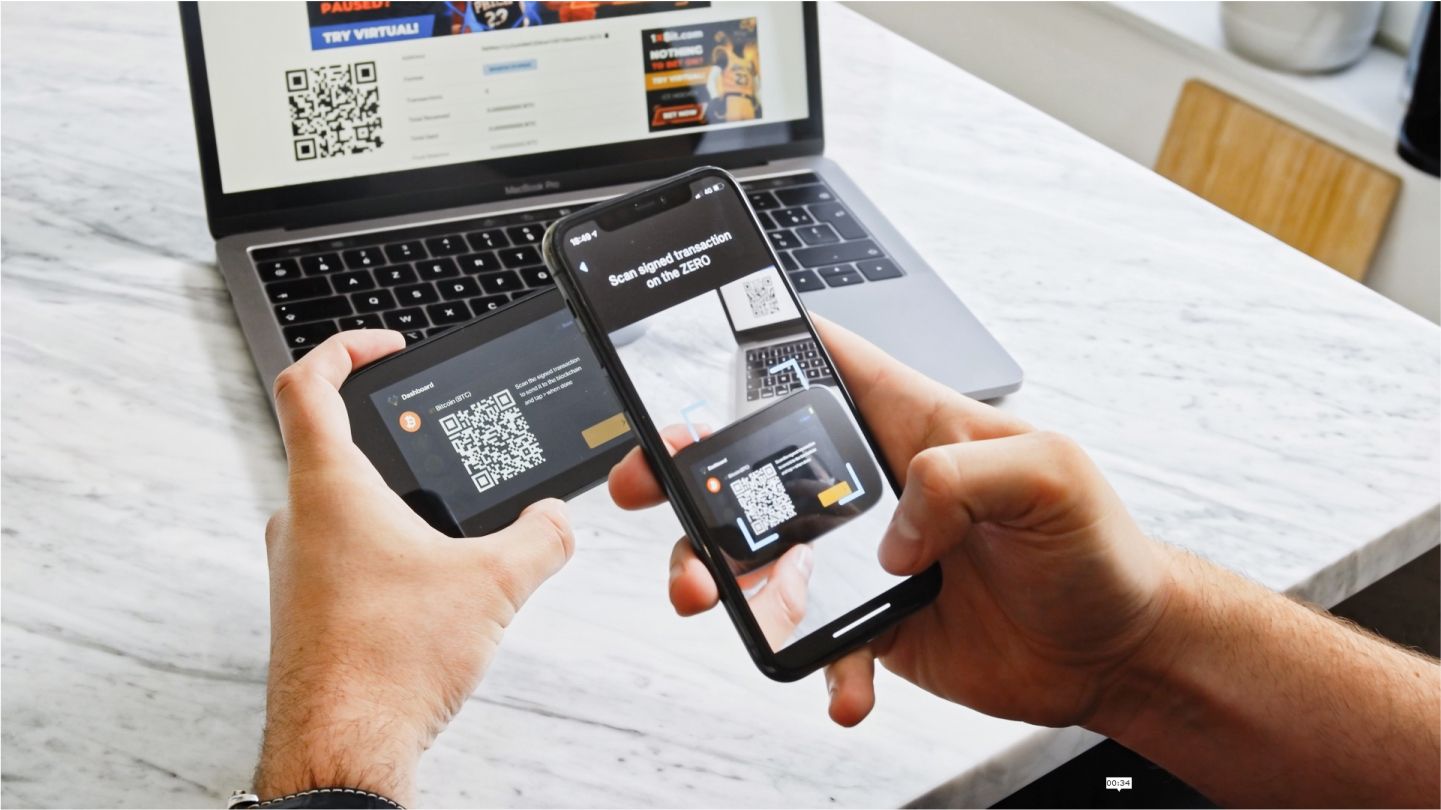
Every hardware wallet has one job above all others: keep your private keys away from the internet. Most do this by holding the keys on the device and connecting to a phone or computer only to exchange transaction data.
An air-gapped wallet goes a step further. It never connects at all. No cable, no Bluetooth, no Wi-Fi. Transactions move between the phone and the device as QR codes, read by a camera. This article walks through how that works and what it does and does not protect you from.
What "air-gapped" means
An air gap is a physical separation. The device that holds your keys has no wired or wireless link to anything else. The only way information gets in or out is through something you can see: a code on a screen, read by a camera.
This splits the work between two devices:
- The phone is online. It runs a companion app that knows your public addresses, shows your balances, prepares transactions and sends them to the network.
- The hardware wallet is offline. It holds the private keys and does one thing with them: sign transactions you have approved.
The phone never sees the keys. The wallet never touches the internet. Before the first transaction, you link the two once by having the phone scan a code from the wallet that contains only public information, so the app can track your addresses.
Signing a transaction, step by step
Here is what happens when you send a payment.
- The phone prepares an unsigned transaction. You enter the recipient's address and the amount in the companion app, and choose a fee. The app builds the transaction but cannot authorize it, because it has no private key.
- The phone shows it as a QR code. A larger transaction may be split across several codes shown in sequence on the screen.
- The wallet scans the code with its camera. It reads the transaction details directly, without any network connection.
- You check the details on the wallet's screen. The device displays the recipient address, the amount and the fee. This is the moment that matters most.
- You approve and the wallet signs. The private key is used inside the device to produce a signature. The key itself never leaves.
- The wallet shows the signed transaction as a QR code. It contains the signature, not the key.
- The phone scans it back and broadcasts it to the network.
The phone carries the message. The wallet decides whether to sign it. Nothing flows between them that you have not deliberately pointed a camera at.
Why this matters compared with a connected wallet
Wallets that connect by cable, Bluetooth or Wi-Fi are designed to keep keys safe, and many owners use them for years without problems. The difference is in how much the connection itself is exposed.
A live connection is a two-way channel that stays open while it is active. It relies on drivers, radios and communication software on both sides. Each of those is code that has to behave correctly, and each is a possible route for an attacker who has compromised the phone or computer.
A QR exchange narrows that channel to a single, visible transfer of data at a time. There is no pairing to hijack, no radio signal to intercept and no cable that could carry anything beyond what the code contains. The wallet also does not need to trust the phone's operating system, because it never talks to it directly.
What it does not protect against
Air-gapped signing reduces one kind of risk. It does not make a wallet immune to all attacks. You are still exposed to:
- Approving the wrong transaction. If a compromised phone builds a payment to an attacker's address and you sign it without checking, the wallet will do exactly what you approved.
- Losing or exposing your recovery phrase. Anyone with those words can restore your wallet on another device, air gap or not.
- Tampered devices or fake software. Buy hardware from trusted sources, install the companion app only from the manufacturer, and update the wallet's firmware using the official method.
- Social engineering. No setup protects against being talked into sending funds to someone else.
What you still have to check
The wallet's screen is the part of the system you can trust, because it is separate from your online phone. Make it a habit to read it carefully every time.
- The recipient address. Compare it with the address you intended to pay. Check the beginning, the end and a section in the middle, not just the first few characters.
- The amount. Make sure it is what you meant to send, in the unit you expect.
- The fee. If it looks far higher than usual, stop and review the transaction on the phone before signing.
- Any change output. Some transactions return the leftover amount to an address in your own wallet. The device should show it as yours. If it does not, do not sign.
- Receive addresses. When someone pays you, confirm the receive address on the wallet's screen before sharing it.
Air-gapped signing adds a few seconds of scanning to each payment. In exchange, the keys that control your funds stay on a device that has never been online, and the final decision is always made on a screen you can trust.